


Shared SMS Number Australia - Team Texting on Every Device
One shared business number for your whole team. Calls and SMS on every phone and computer.

Several Ozetel Phone users send and receive from the same Australian mobile number, so customers text one number and your team answers.
The same SMS threads on Mac, Windows, iPhone and Android. Type a long reply at your desk, pick it up on your phone in the car park.
Every message thread stays in sync for everyone on the number, so nobody answers a customer without seeing what was already said.
A virtual mobile number lives in the cloud, not in a handset, so it never goes on holiday, gets left in a ute or leaves with a staff member.
Customers text one number. Your whole team answers.
Shared SMS lets a whole team use one Australian business mobile number for text messages. Customers text a single number, and the conversation appears in a shared SMS inbox in the Ozetel Phone app for everyone you have put on that number, on their Mac, Windows PC, iPhone or Android, with every thread kept in sync.
It works because the number is a virtual mobile number rather than a SIM card in somebody's pocket. We build the network, the platform and the Ozetel Phone app ourselves, so one number can belong to a team instead of a single handset. That is something most business phone providers simply cannot offer.
Why a business mobile in one person's pocket lets customers down
Holidays and sick days
Staff come and go, the number stays
One number on your signage
Personal mobiles stay private
How a shared SMS number works
-
Get a virtual mobile number
Choose an Australian virtual mobile number for the business. No SIM card and no handset to buy. -
Put your team on the number
Each person signs in to the Ozetel Phone app, and the number is assigned to everyone who should see its messages. -
Text from any device
Send and receive from the business number on Mac, Windows, iPhone or Android. Every thread stays in sync for the whole team.
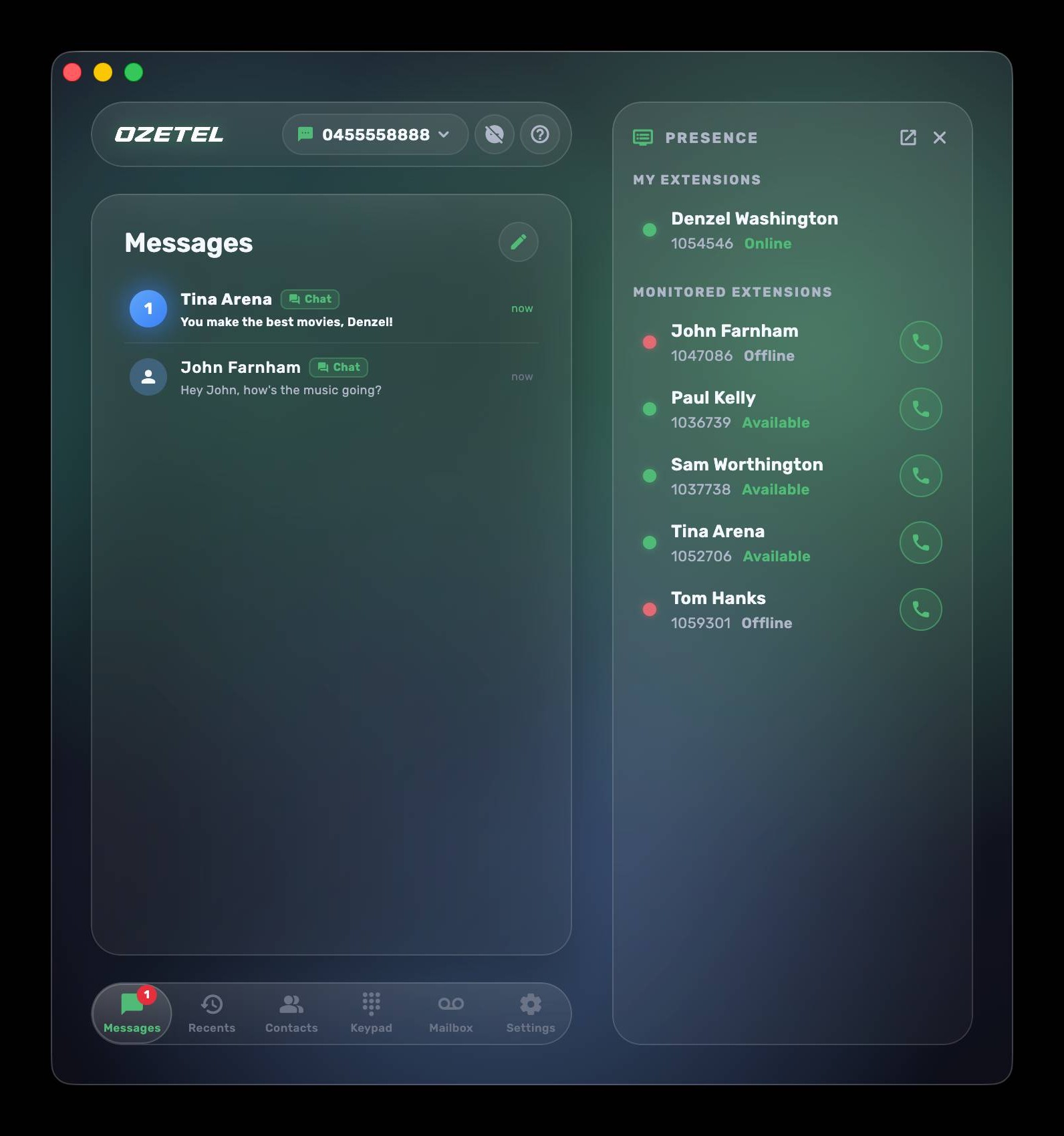
Team texting on Mac, Windows, iPhone and Android
Shared SMS for every type of Australian business
Trades and field services
Sales teams
Support and service desks
Clinics and practices
Real estate offices
Hospitality and bookings
Ways to share one business SMS number, compared
| Question | A work phone passed around | A SIM mobile with SMS forwarding | Ozetel shared SMS number |
|---|---|---|---|
| Who sees a customer's text | Whoever has the phone today. | The phone holder, plus copies forwarded elsewhere. | Everyone on the number, in the Ozetel Phone app. |
| Who can reply from the business number | Only the person holding the phone. | Only the phone holder. Replies from a forwarded copy come from someone else's number. | Anyone on the number, from the business number. |
| Texting from a computer | No. | No. | Yes, on Mac and Windows. |
| Conversation history | On one handset. | Split between the handset and the copies. | The same threads on every device, in sync. |
| When the holder is away or leaves | Messages wait, or the phone changes hands. | Forwarding has to be changed. | Nothing changes for the customer. |
More than team texting
Calls as well as SMS
SMS to email and webhooks
You decide how long messages are kept
Room to grow into campaigns
Common questions about sharing a business mobile number.
A shared SMS number is one business mobile number that several people can send and receive text messages from. With Ozetel it is a virtual mobile number used in the Ozetel Phone app, so everyone you put on the number sees the same SMS conversations on their own devices, and replies go out from the business number rather than from anybody's personal mobile.
Yes. Many users and devices can send and receive from the same Ozetel virtual mobile number, with every thread kept in sync for the whole team. A customer texting your business number is not texting one person, so whoever is working can see the message and answer it.
The Ozetel Phone app runs on Mac, Windows, iPhone and Android. The same SMS threads follow each person between their devices, so a conversation started on an office computer can be continued on a mobile.
No. A virtual mobile number is not tied to a SIM card or a handset. Your team uses the Ozetel Phone app on the computers and phones they already have.
Yes. Full two way business SMS works in the Ozetel Phone app on Mac and Windows as well as on iPhone and Android, so staff can type replies on a full keyboard at their desk.
Yes. A virtual mobile number can handle calls and SMS. Incoming calls can be landed at any destination you choose, including your Ozetel phone system, and you can change that online whenever you need to.
No. Shared SMS is one to one texting with customers from a number your team shares. Bulk SMS sends one message to a whole list of customers at once. They work together: eligible virtual mobile numbers can also send bulk SMS through Ozetel Bulk Messaging, and replies come back to the same conversations.
A virtual mobile number is $9 a month with a $10 set up charge and no contract. SMS are 8c each to send and 2c each to receive. You will want the Ozetel Phone app to get the most out of Shared SMS. Costs start at $12 per user. Talk to us if you have a large number of users.

